QuikConsole com Review (2026): Gaming, Cloud Dashboards, Automation & Productivity Explained
QuikConsole com Review (2026) searches usually come from people trying to decide whether QuikConsole is a gaming dashboard, a cloud workspace, an automation platform, or a mixture of all three. The practical answer is that it should be treated as a developing, multi-purpose console rather than a proven replacement for every productivity app or gaming utility.
Publicly confirmed information appears limited, so claims about pricing, integrations, performance, and security deserve careful checking before you commit data or money. This review separates the platform’s apparent use cases from assumptions, explains what to test, and shows which users may benefit most from its dashboard-first approach.
What QuikConsole Appears to Be

The clearest way to interpret QuikConsole is as a central interface for bringing digital activities into one place. Its name and positioning suggest a console built around dashboards, shortcuts, connected services, and repeatable actions rather than a single-purpose game launcher or traditional office suite.
That distinction matters. A QuikConsole review 2026 should not describe every proposed feature as independently verified, because publicly available product information does not establish a universally documented feature list, fixed pricing structure, or mature support record. The sensible verdict is provisional: QuikConsole may be useful for people who want one customizable control surface, but buyers should validate the live product before treating it as mission-critical software.
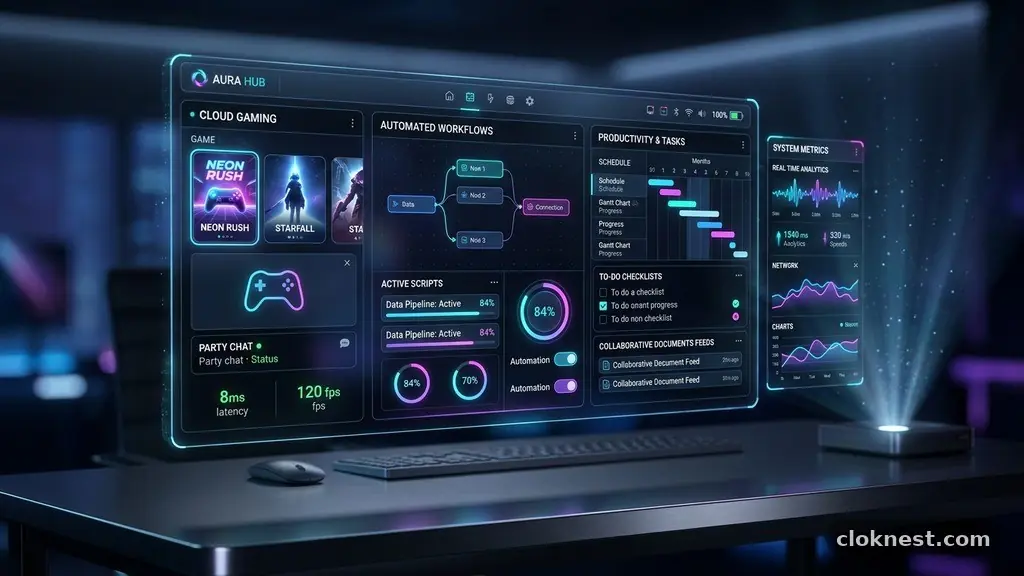
In practical terms, the platform’s appeal lies in reducing app switching. A user might place a game launcher, system monitor, calendar, task list, cloud storage shortcut, and automation trigger on one gaming dashboard. Someone else could use the same layout for client work, recurring administrative tasks, and personal reminders.
The concept resembles a browser-based command centre more than a conventional productivity application. That can be valuable when a person works across many services, yet it also creates a dependency on integrations and permissions. If the connected tools change their APIs, impose new limits, or stop authenticating correctly, the central dashboard may lose part of its usefulness.
Readers asking for a simple yes-or-no conclusion should see QuikConsole as potentially useful but not yet a platform to trust blindly. Its best case is a flexible hub for light automation, cloud dashboards, and personal workflows. Its weak point is uncertainty around independent validation, long-term reliability, and the exact boundaries between advertised capability and working capability.
How the Dashboard Model Works
A dashboard is only helpful when it turns information into an action. Merely displaying ten panels can create visual noise, so QuikConsole’s value would depend on whether users can arrange, resize, filter, and prioritise the information they actually need.
Useful customizable widgets might include a task queue, calendar events, system status, game-library shortcuts, service notifications, or a small analytics panel. The important question is not how many widgets exist, but whether each one updates reliably and provides a clear next step.
A strong cloud dashboard normally has three layers. The first is presentation, where the user interface displays cards, charts, controls, or alerts.
The second is connection, where the service retrieves information from other accounts. The third is action, where a button, rule, or workflow causes something to happen elsewhere.
That structure creates a useful testing method. Add one service, observe its refresh speed, try a common action, disconnect the account, and check whether the dashboard handles failure gracefully. If a broken token produces a confusing error or leaves stale information on screen, the interface may look polished while remaining unreliable in daily use.
Real-time analytics also need careful interpretation. “Real time” can mean genuinely continuous updates, frequent polling, or a refresh that occurs only when the page is opened. QuikConsole users should look for a visible last-updated time, refresh controls, and warnings when data is delayed.
The strongest dashboard experience would let users create separate spaces for gaming, work, and personal administration. That separation prevents a crowded home screen and limits accidental actions, such as launching a work automation while intending to start a game. Profiles, saved layouts, and role-based permissions would make the product more practical for households or small teams.
Gaming Features and Everyday Utilities
QuikConsole’s gaming potential is easier to understand when it is separated from game development. A gaming dashboard could organise launchers, installed titles, performance information, community links, and routine maintenance without replacing the games themselves.
Possible gaming utilities include quick access to launch commands, hardware temperatures, network status, storage warnings, play-session timers, and links to patch notes. These tools can save small amounts of time repeatedly, which is often more valuable than a dramatic one-off feature that a user rarely opens.
Still, a dashboard should not be assumed to provide deeper system control. Overlay support, frame-rate monitoring, controller profiles, mod management, cloud saves, and account syncing each require technical access that may vary by operating system and game publisher. Unless QuikConsole documents a specific integration, readers should treat that capability as unconfirmed.
A useful gaming workspace might show whether a computer has enough free storage before a large update begins. It could also trigger a preparation routine that closes selected background apps, opens voice chat, starts a recording tool, and changes a lighting profile. Those actions would demonstrate practical workflow automation, but they would need explicit permissions and dependable local integrations.
Performance is another area where restraint matters. A cloud-based tool can coordinate services, but it cannot automatically improve a game’s frame rate, reduce input latency, or fix a driver problem. If the dashboard runs in a browser or desktop shell, users should also check memory use, startup behaviour, and whether it adds unwanted background processes.
For casual players, the main benefit may be organisation rather than speed. For streamers or gaming communities, the value could come from repeatable launch routines and central status information. Competitive players should be more cautious, particularly if third-party overlays or automation could conflict with game rules or anti-cheat systems.
Automation and Connected Workflows
Automation is likely to be the feature that separates QuikConsole from a simple bookmarks page. An automation platform can connect a trigger to one or more actions: a calendar event might create a task, a completed task might send a notification, or a system condition might display an alert.
That model becomes useful when workflows are small, repeatable, and easy to inspect. A player could create a routine that opens a selected game, checks a streaming application, and starts a session note. A freelancer might use a workflow to move a new form submission into a task list and notify a chosen channel.
API integrations are central to this promise. APIs allow services to exchange information, but each provider controls its authentication rules, rate limits, available actions, and data fields. A QuikConsole workflow may therefore work perfectly with one account while offering only limited triggers or read-only access for another.
The platform should make automation understandable to non-programmers. A visual builder, plain-language labels, test mode, activity history, and an easy pause button are more important than a long list of advanced settings. Users need to see what will happen before a rule sends a message, changes a record, or starts an expensive process.
Reliability depends on handling exceptions. If a service is offline, a required field is missing, or an API token expires, the system should record the failure and explain how to correct it. Silent failures are particularly dangerous because a workflow can appear active while quietly dropping important actions.
Automation also needs limits. Users should begin with low-risk tasks, such as reminders or dashboard updates, before granting permission to delete files, modify financial records, or send messages automatically. A sensible QuikConsole setup uses approval steps for consequential actions and keeps a history that can be reviewed later.
The best test is simple: build one workflow, run it repeatedly, inspect the logs, and disable it. If each step is visible and reversible, the platform has a credible foundation. If the process depends on guesswork, automation becomes another source of manual troubleshooting.
Productivity Tools for Personal and Team Use
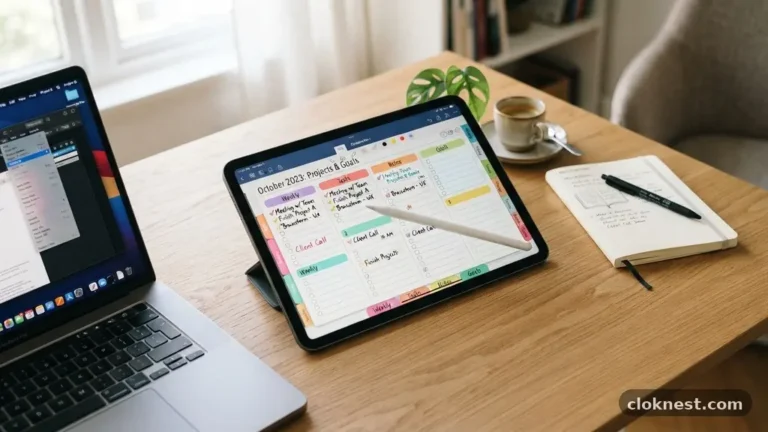
QuikConsole may appeal to people who feel scattered across calendars, notes, task managers, cloud drives, communication apps, and browser tabs. A central workspace can reduce that fragmentation by showing the next action without requiring users to remember which service owns the information.
For personal use, the most useful combination would be task management, reminders, calendar visibility, quick notes, and saved shortcuts. A student could keep assignment deadlines beside research links and a study timer. A household could display recurring chores, shopping reminders, and shared appointments without mixing those items into a work account.
Small teams need a different standard. They require shared workspaces, clear ownership, permissions, activity records, and a reliable way to transfer responsibility when someone leaves. If QuikConsole lacks those controls, it may still work for individual operators but should not be positioned as a full project-management replacement.
The user interface should also support different levels of attention. A compact view is useful during a busy workday, while a detailed view can show due dates, status changes, and recent automation events. Keyboard shortcuts, search, responsive design, and accessible contrast matter because a dashboard that looks attractive but slows navigation will not improve productivity.
Task management is especially vulnerable to clutter. Every notification should not become a task, and every task should not appear with equal urgency. Users should be able to group work by project, filter completed items, set due dates, and distinguish a genuine deadline from a casual reminder.
QuikConsole’s advantage would be its ability to combine these tools with external services rather than forcing users to abandon existing systems. That approach is convenient, but it can also make the platform dependent on several vendors. A person should retain an export or backup of important information instead of assuming that a dashboard will always remain available.
In short, QuikConsole could serve as a useful front door to productivity tools. It should not automatically be treated as a replacement for a mature calendar, project manager, or document system until its collaboration depth, export options, and service reliability are demonstrated.
Cloud Architecture, Privacy, and Security
Cloud-based tools offer convenience because settings, dashboards, and connected information can be available across devices. That convenience comes with a trade-off: users must understand where data is stored, which services can access it, and what happens when an account is closed.
Data security should be evaluated through specific controls rather than reassuring language. Look for encrypted connections, secure authentication, optional multi-factor authentication, session management, permission scopes, and a clear process for deleting an account. A product should also explain whether it stores the content of connected services or only temporary access tokens.
Account permissions deserve special attention. Connecting a calendar to read events is very different from granting permission to create, edit, or delete them. The same principle applies to cloud storage, messaging services, game accounts, and task systems.
Prospective users should review the platform’s privacy documentation and terms before connecting sensitive information. For broader context on managing online accounts, the Cybersecurity and Infrastructure Security Agency’s cybersecurity guidance offers practical advice from a reputable public authority.
QuikConsole should also explain how it handles third-party outages. A dashboard that displays stale information without warning can lead to poor decisions, especially when users rely on status panels or automated reminders. Visible timestamps and service-health indicators are small features with significant practical value.
Business users may need additional answers about data residency, retention periods, audit logs, subcontractors, and contractual privacy commitments. The absence of public documentation does not prove that a platform is unsafe, but it does mean that organisations should not connect confidential material without written clarification.
A cautious setup uses a separate account where possible, grants the minimum permissions needed, enables multi-factor authentication, and tests revocation. After disconnecting a service, users should confirm that tokens are invalidated and that stored data can be deleted. These steps are worthwhile for any automation service, not only QuikConsole.
Pricing, Support, and Product Maturity
A meaningful review cannot state a definite QuikConsole price without a current, official pricing page or a verified purchase flow. Prices, free tiers, usage limits, and paid integrations can change, so readers should check the live terms before budgeting around the platform.
The cost should be measured against the time saved, not against the number of features advertised. If a dashboard eliminates repeated manual checks every day, even a modest subscription may be reasonable. If it merely duplicates shortcuts already available in a browser, a paid plan may not justify itself.
Potential pricing models include a free personal tier, a subscription with additional automation runs, or separate team and enterprise plans. Each model creates different questions. A free plan may limit refresh frequency, connected accounts, storage, or workflow executions, while a team plan may charge per user rather than per workspace.
Support quality is equally important. Users should look for searchable documentation, setup examples, account-recovery instructions, integration status pages, and a clear route for reporting failures. A platform built around API integrations needs support that can distinguish a QuikConsole error from a third-party outage.
Product maturity can be judged through practical signals: release notes, recent updates, transparent incident communication, stable documentation, and user-visible version history. A polished landing page is not enough to establish that a service will still be maintained next year.
| Evaluation area | Evidence to check | Why it matters |
|---|---|---|
| Pricing | Current official plan details and usage limits | Prevents unexpected charges or restricted workflows |
| Support | Documentation, contact options, and incident history | Shows how problems are handled after setup |
| Integrations | Named services, permission scopes, and API limits | Confirms whether the desired workflow is possible |
| Portability | Exports, backups, and account deletion controls | Reduces dependency on one platform |
Until those details are easy to verify, the safest approach is a small trial using non-sensitive accounts. Avoid paying for a long period before testing the features that matter to your own workflow.
Strengths, Limitations, and Best-Fit Users
QuikConsole’s strongest idea is consolidation. A single interface can make scattered tools easier to see and can give users a consistent place to start the day, launch a gaming session, or review outstanding tasks.
Its second strength is flexibility. If the platform supports customizable widgets, saved layouts, API integrations, and workflow triggers, users could shape it around very different routines instead of adapting to one rigid process.
The limitations are just as important. A broad platform can become complicated, and every connection introduces another potential failure point. A user may spend more time repairing permissions and redesigning dashboards than they would have spent opening the original apps separately.
- Good fit: technically comfortable users who want a central dashboard for several low-risk services.
- Possible fit: gamers who value launch shortcuts, status information, and repeatable session routines.
- Use with caution: small teams that need shared ownership, audit trails, and dependable collaboration features.
- Poor fit: users seeking a fully documented, single-purpose productivity suite with no setup work.
- Higher-risk use: workflows involving confidential records, destructive actions, or unattended financial decisions.
The right choice depends on tolerance for experimentation. Someone who enjoys configuring tools may appreciate a flexible console, while someone who wants immediate simplicity may prefer established applications with narrower purposes.
Gamers should also verify that any automation complies with the rules of the games and services they use. Convenience is not worth an account restriction, especially where automated inputs, overlays, or account actions are involved.
Overall, the platform makes the most sense as an organising layer. It is less convincing as a claim that one application can replace every specialised tool in a person’s digital life.
How to Test QuikConsole Before Committing
A structured trial can reveal more than a long feature list. Begin by writing down one concrete goal, such as combining a task list with a calendar or creating a repeatable gaming launch routine. If the goal cannot be described in one sentence, the test may be too broad.
Next, connect only the minimum accounts needed. Use a non-sensitive workspace and avoid granting write permissions until the read-only experience works correctly. Record how long setup takes, how often data refreshes, and whether the interface explains errors clearly.
Test the platform across the devices you actually use. A dashboard that works on a desktop may be awkward on a phone, while a browser session may lose settings if cookies or permissions are restricted. Check startup time, memory use, responsive behaviour, and whether notifications can be controlled.
Then create one low-risk automation. Good examples include creating a reminder from a calendar event or displaying a service status update. Run it several times, interrupt the connection once, and inspect the activity history to see whether the failure is visible.
Before adding more services, examine the account controls. Confirm that you can change permissions, disconnect an integration, export important information, and delete the account. Those steps provide a realistic picture of control and portability.
A practical trial checklist includes:
- Verify the current price, billing cycle, and limits before starting a paid plan.
- Check whether the required game, calendar, storage, or task service is officially supported.
- Measure refresh behaviour rather than assuming that every panel is live.
- Review logs after a failed workflow and confirm that notifications can be paused.
- Test account recovery, multi-factor authentication, and integration revocation.
- Keep a backup of important tasks or records outside the platform.
After a week, compare the time saved with the time spent maintaining the setup. That simple calculation gives a more honest answer than excitement over a new interface.
Frequently Asked Questions
Is QuikConsole a gaming platform?
It appears better understood as a dashboard and coordination layer that may support gaming workflows, rather than as a game store or game-development platform. Confirm the specific launchers, overlays, and utilities supported before relying on it for a gaming setup.
Can QuikConsole replace a task manager?
It may handle basic task management if its task features, reminders, and integrations meet your needs. It should not automatically replace a mature project-management system unless it provides ownership controls, history, exports, collaboration, and dependable notifications.
Does QuikConsole provide real-time analytics?
That depends on the particular dashboard and integration. Check the refresh interval, timestamp, and service limits, because “real time” may describe frequent polling rather than continuous updates.
Is QuikConsole safe for sensitive information?
Do not assume that it is safe without reviewing its privacy policy, security controls, permissions, retention rules, and account-deletion process. Start with non-sensitive data and grant the narrowest access required for each workflow.
Who should try QuikConsole first?
It is most suitable for users who enjoy configuring cloud-based tools and want one place for gaming utilities, productivity tools, and light automation. People who need guaranteed enterprise controls or zero-maintenance software should wait for clearer documentation and an established support record.
Final Verdict
A sensible QuikConsole com Review (2026) lands on cautious optimism. The platform’s dashboard-first idea could help gamers, freelancers, and organised individuals bring shortcuts, tasks, analytics, and workflow automation into one workspace, but the value depends on integrations that work reliably and permissions that remain under the user’s control.
Try one low-risk workflow, verify the live pricing and security details, and measure the time saved before expanding. If QuikConsole earns trust through clear documentation and dependable performance, it could become a useful digital control centre; until then, treat it as a promising experiment rather than an essential system.