
Focus Time and How to Use It for Productivity
Focus time represents a deliberate commitment to protecting your most valuable resource: your cognitive energy. By setting aside specific blocks of the day for concentrated effort, you can move beyond the reactive cycle of constant notifications and fragmented attention. This practice allows you to produce high-quality results without the typical exhaustion caused by multitasking.
When you learn to prioritize these periods, you gain control over your output and find more satisfaction in your daily work. Mastering this habit helps you protect your mental clarity while ensuring that your most important projects receive the attention they truly deserve.
Define Your Priorities Before Scheduling
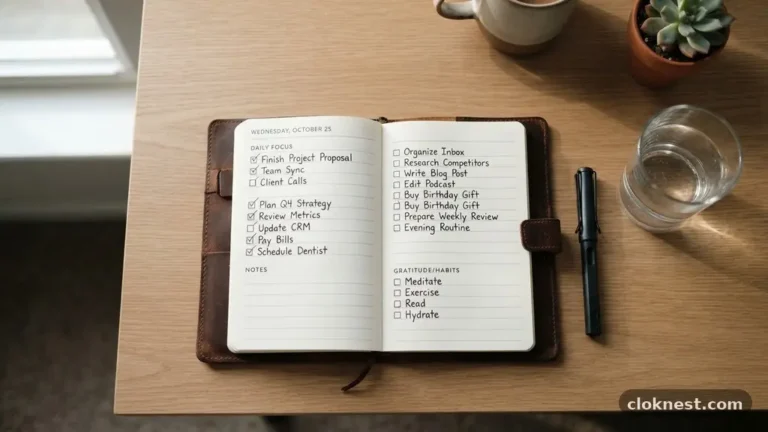
Before you open your digital calendar, you must identify what actually requires your undivided attention. Not every task is created equal, and trying to force administrative chores into a session meant for complex problem-solving will only lead to frustration. Start by listing your top three goals for the week.
Look for items that require creative thinking, technical analysis, or long-form writing. These are the activities that suffer most when you are interrupted by emails or instant messages.
A common mistake is treating this time as a catch-all for everything you haven’t finished yet. If you use your protected hours to catch up on minor administrative work, you are wasting your peak mental energy.
Instead, reserve these slots for high-impact work that moves the needle on your long-term objectives. By clearly defining the nature of the work, you ensure that when the timer starts, you already know exactly what to tackle.
Choose the Right Time of Day
Everyone has a natural rhythm, often referred to as a chronotype, which dictates when they feel most alert. For many people, the early morning hours provide the best opportunity for deep work because the rest of the office or household is still quiet. Others find their creative spark in the mid-afternoon.
To find your ideal window, track your energy levels for a few days. Notice when you feel most sharp and when you tend to experience a mid-day slump.
Once you identify your peak period, guard it fiercely. If you know that 9:00 AM to 11:00 AM is when you do your best thinking, do not allow meetings to encroach on that space. If your workplace culture makes this difficult, communicate your needs to your team.
Explain that this isn’t about avoidance but rather about ensuring you can contribute your best work to shared projects. Protecting your peak hours benefits everyone involved.
Use Digital Tools to Automate Protection
Modern technology offers several ways to signal your availability to others. Features like Viva Insights within the Microsoft ecosystem can automatically scan your calendar and suggest blocks for uninterrupted work.
These tools are designed to help employees find space between meetings, which is often where productivity goes to die. By allowing the software to suggest these slots, you reduce the mental friction of manual planning.
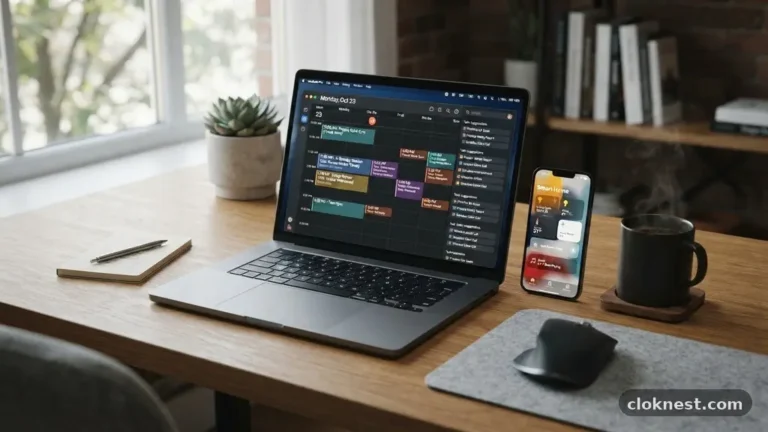
If you use Google Calendar, you can manually create recurring events that block off your time. Label these entries clearly so your colleagues understand that you are unavailable. Whether you mark them as “private” or simply “busy,” the goal is to create a visual boundary.
Avoid the mistake of leaving these slots open to “provisional” invites. If you don’t treat your own calendar blocks with respect, nobody else will either.
Create a Physical and Digital Sanctuary
Focus time is as much about your environment as it is about your schedule. If you are surrounded by noise or constant screen pop-ups, your brain will struggle to maintain the necessary intensity for deep work. Start by closing all unnecessary browser tabs.
If you don’t need a specific tool to complete the current task, it shouldn’t be open. The visual clutter of a dozen tabs is a silent invitation to distraction.
Consider your physical surroundings as well. If you work in an open office, noise-canceling headphones are an essential piece of equipment. They act as a physical signal to others that you are in the middle of something important.
Even at home, establishing a specific desk area or a ritual—like lighting a candle or putting on a specific playlist—can prime your brain to enter a state of high performance. The goal is to minimize the number of external stimuli that can pull you away from your task.
Manage Your Notifications Ruthlessly
The biggest enemy of concentration is the ping of an incoming message. Most communication apps are designed to command your attention, but you don’t have to be at their mercy.
During your designated work blocks, put your phone in another room or turn on “Do Not Disturb” mode. If you use an app for team communication, set your status to “Busy” or “Focusing” so that others know you won’t be responding immediately.
Many people fear that ignoring messages for an hour will make them seem unresponsive or unhelpful. In reality, most urgent matters are rare. By batching your communication into specific times outside of your deep work sessions, you actually become more effective.
You provide thoughtful, complete answers rather than rushed, fragmented replies. If you worry about an emergency, set up an exception for calls from key contacts, but keep all other notifications silenced.
Break Large Tasks into Small Actions
Sometimes we avoid starting our focus sessions because the project feels too intimidating. If you have “Write Project Report” on your calendar, your brain might resist the effort required.
Instead, break that massive task into tiny, actionable steps that take thirty minutes or less. When you have a clear, small objective, the barrier to starting is significantly lower.
You might label your session “Drafting Section 1” or “Data Entry for Q3.” When the work is specific, you can hit the ground running the moment you sit down.
This prevents the common mistake of spending the first twenty minutes of a session just trying to figure out what to do. If you have a clear plan, you spend your energy producing, not planning.
Reflect and Adjust Your Process
Not every attempt at deep work will be perfect. Some days you will be distracted, or a meeting will inevitably run over. Instead of viewing these as failures, treat them as data points.
At the end of each week, look at your calendar and see how much of your planned time was actually spent on high-value work. Did you get interrupted? Was the time of day wrong?
Adjust your approach based on what you find. Maybe you need to start your session earlier, or perhaps you need to be more assertive about declining low-priority meetings. The process of refining your schedule is ongoing.
As you become more skilled at managing your attention, you will find that you can accomplish in two hours what used to take four. This efficiency creates more freedom in your life, not just more work.
Handle Unexpected Interruptions Gracefully
Even with the best planning, life happens. A colleague might drop by with an urgent question, or an unexpected problem might arise that requires immediate attention.
When this occurs, don’t let it ruin your entire day. Acknowledge the interruption, deal with it if it is truly critical, and then return to your work as soon as possible.
The key is to minimize the “recovery time” required to get back into the flow. If you are interrupted, quickly write down where you left off. This serves as a “bookmark” for your brain, making it easier to jump back into the task once the distraction has passed.
Avoid the trap of thinking that because your session was interrupted, the entire block is wasted. Every minute you spend in a state of concentration adds value, so get back to it the moment you can.
Frequently Asked Questions
What is the meaning of focus time?
Focus time is a designated period during your workday where you remove distractions to perform deep, cognitively demanding work. It is a proactive strategy to ensure that your most important tasks receive your full mental energy rather than being squeezed into the gaps between meetings.
How do I stop Outlook from adding focus time?
If your calendar automatically inserts these blocks, you can usually manage this through the settings in your productivity suite or via the Viva Insights dashboard. Look for the “Configure” or “Settings” menu within the insights app to toggle off automatic scheduling features.
What does focus time mean on an iPhone?
On an iPhone, this refers to the “Focus” feature, which allows you to filter notifications and manage your availability based on what you are doing. You can create custom profiles for work, personal time, or sleep to ensure that only the apps and people you choose can reach you.
How do I effectively schedule focus time?
The most effective way is to treat these slots with the same importance as a meeting with a client. Use your calendar to block the time, communicate your availability to your team, and ensure you have a clear, specific task ready to work on as soon as the session begins.
Conclusion
Developing a consistent habit of using focus time is one of the most effective ways to reclaim your professional life. By treating your attention as a finite asset, you protect yourself from the burnout that comes with constant reactivity.
Start by experimenting with shorter blocks of time, perhaps just sixty minutes, and observe how your productivity and stress levels respond. As you get comfortable with the process, you can expand these sessions to better suit your project requirements.
Remember that this is a personal practice that evolves alongside your responsibilities. Stay flexible, keep refining your approach, and don’t be afraid to protect your time when it matters most.
By consistently prioritizing your deep work, you create the space necessary to excel in your role while maintaining your peace of mind. Start your next session today by blocking off a small, distraction-free window in your calendar.