Shoesellus.com Explained: What the Site Really Is (Not a Shoe Store)
Shoesellus.com Explained starts with a simple correction: the name sounds like an online footwear shop, but a domain name alone doesn’t prove that a real shoe retailer operates behind it. The safer description is an unverified website identity that needs checking before anyone enters payment details, downloads a file, or trusts a shopping offer.
That distinction matters because unfamiliar domains can lead to parked pages, redirects, lead-generation forms, or deceptive storefronts rather than genuine commerce. A careful look at domain registration, contact information, security signals, and page behaviour gives you a much clearer answer than the word “shoes” in the address.
The short answer: it isn’t a confirmed shoe store
Shoesellus.com should not be treated as an established shoe retailer simply because its domain contains a footwear-related word. A domain is only an internet address; it does not automatically identify the owner, prove that products exist, or establish that a checkout process is legitimate.
The most accurate description is an unverified online platform or domain whose actual purpose must be confirmed by inspecting the live site, registration records, page content, and technical behaviour. If the domain shows a blank page, a generic advertisement, a redirect, or a form asking for personal details, it is not functioning as a normal shoe shop at that moment.
This distinction also explains why searchers may encounter conflicting descriptions. One person may see a parked domain, another may receive a redirect to a sales page, and someone else may find a browser warning or no usable page at all. A website can change its content without changing its domain name.
There is no reliable basis for assuming that Shoesellus.com is connected to a known footwear brand, recognised retailer, or authorised marketplace unless the site itself provides verifiable ownership details and those details match independent business records. Product photographs and discount banners are not enough.
Why the name creates confusion
“Shoesellus” looks like a commercial brand name, which can make the address feel more familiar than it really is. The word “shoes” suggests a product category, while “sell us” or “sellus” can imply a marketplace, clearance outlet, or seller service, but none of those interpretations establishes the site’s business model.
People often make a quick mental connection between a domain and a shop. If the address includes words such as “shoes,” “outlet,” or “sale,” visitors may expect catalogues, sizing information, shipping policies, and customer support before checking who operates the site. That assumption is precisely what an unfamiliar domain can exploit.
A legitimate retailer usually builds a consistent identity across several places. Its brand name appears in company records, social profiles, customer-service channels, packaging, payment descriptors, and independent reviews. A bare domain with no matching organisation, physical address, or traceable operating history has a much weaker identity.
There is another source of confusion: domain names can be bought for one purpose and later reused for another. A former blog address might become a landing page, an expired domain might be resold, or a short-lived advertising operation might use the name for a few weeks. The visible page is therefore more important than the implication of the name.
- Brand wording: suggests a category but does not prove ownership.
- Search results: may show old, cached, or automatically generated descriptions.
- Redirects: can send visitors to a different business or advertising network.
- Checkout claims: need independent verification before payment.
- Domain records: can confirm registration details but rarely prove trust on their own.
What the domain itself can tell you
A domain name is a technical identifier registered through a registrar. It tells you where a web request is directed, but it does not necessarily tell you the legal name of the operator, the location of the business, or the people responsible for the content.
Domain registration data can still provide useful clues. A WHOIS lookup or registrar record may show the creation date, update date, registrar, name servers, and sometimes an organisation or country. Privacy services often hide the registrant’s personal details, so a private record is not automatically suspicious, but it limits what can be independently confirmed.
The age of a domain should be interpreted carefully. A newly registered address deserves extra caution if it immediately advertises expensive goods, steep discounts, or urgent payment deadlines. An older domain is not automatically safe either, because an established address may have changed owners or been compromised.
Name servers and hosting information may reveal that several apparently unrelated sites share infrastructure. That can be a clue, not a verdict. Shared hosting is common, and a technical overlap alone cannot prove that two websites belong to the same operator.
Readers who want to check registration basics can use the ICANN Lookup service for domain registration information. The result should be treated as one piece of evidence alongside the site’s policies, payment process, company details, and actual behaviour.
| Signal | What it can show | What it cannot prove |
|---|---|---|
| Creation date | Whether the domain appears recently registered | That the owner is dishonest or trustworthy |
| Registrar | Which registration provider manages the domain | That the registrar endorses the website |
| Privacy protection | That public registrant details are masked | That the website is a scam |
| Name servers | Which DNS infrastructure handles the address | Who actually operates the business |
| Update date | That registration records were changed | That the site recently changed ownership |
How to assess website legitimacy
Website legitimacy is best judged through several matching signals rather than one green padlock or one attractive homepage. Start by asking whether the website identifies a real business in plain language. A credible shop normally states its legal or trading name, customer-service email, return address, shipping regions, and contact method.
Check whether those details are consistent. The company name in the privacy policy should match the name in the returns page and any payment instructions. An email address using a free provider, a contact form with no response path, or a street address that cannot be associated with the claimed business weakens confidence.
Look at the product pages with a sceptical eye. Copied photographs, identical descriptions found across unrelated stores, missing size charts, permanently huge discounts, and vague stock claims are warning signs. A genuine shoe retailer usually explains materials, sizing, delivery times, returns, taxes, and stock availability with enough detail for a purchase decision.
Payment options matter too. A site that accepts only bank transfer, cryptocurrency, gift cards, or an unusual payment link gives the buyer fewer practical protections. Credit cards and established payment processors may offer dispute procedures, although no payment method eliminates risk.
The privacy policy and terms of service should not be decorative text copied from another site. They should explain what data is collected, why it is used, how long it is retained, and which entity is responsible for the service. Missing, generic, or contradictory policies are meaningful concerns.
Read More: Flagbeez com Explained: What the Multi-Topic Blog Actually Is
Questions to ask before trusting a page
- Does the site name a real operator with a traceable business presence?
- Can the listed address and phone number be independently verified?
- Do shipping, refund, and privacy policies identify the same organisation?
- Are prices and product images consistent with the claimed inventory?
- Does the checkout stay on the same domain or move unexpectedly elsewhere?
- Can you find long-term customer feedback rather than only reviews on the site itself?
Security signals are useful, but limited
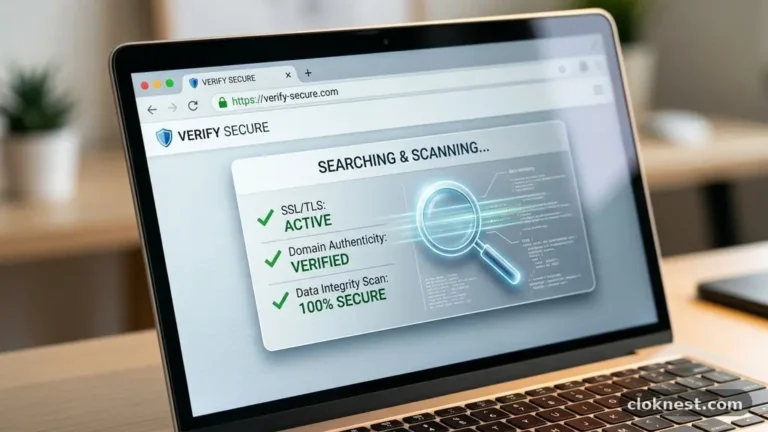
An SSL certificate encrypts the connection between a browser and a website. You can usually recognise this through “https” and a padlock symbol in the address bar. Encryption helps prevent casual interception of data while it travels, but it does not certify the honesty of the site owner.
A scam website can use HTTPS. Certificates are inexpensive, widely available, and generally validate control of a domain rather than the quality of the products or the legal identity of the business. Treat the padlock as a privacy and transport-security signal, not a business endorsement.
Browser warnings deserve immediate attention. A page flagged for malware, credential theft, or deceptive behaviour should be closed rather than bypassed. Do not disable security software simply because a shopping offer looks attractive.
Unexpected redirects deserve similar caution. A normal site may send a visitor to a payment processor or regional version, but a chain of unrelated domains, pop-up tabs, fake “virus detected” notices, or forced app downloads can indicate advertising abuse or malicious activity.
Never install a browser extension, mobile application, or file offered by an unfamiliar shopping page merely to complete a purchase. A genuine footwear transaction should not require a random executable file or a security setting to be turned off.
Website security also includes account hygiene. If you already created an account on an unfamiliar domain and reused that password elsewhere, change the password on the legitimate service immediately. Enable multi-factor authentication where available, and review recent sign-in activity.
Common ways an unfamiliar domain can be used
Not every unfamiliar domain is a scam, and not every inactive site is malicious. A domain can serve several ordinary or questionable purposes, which is why the correct classification depends on what it actually does when visited.
Parked or unused domain
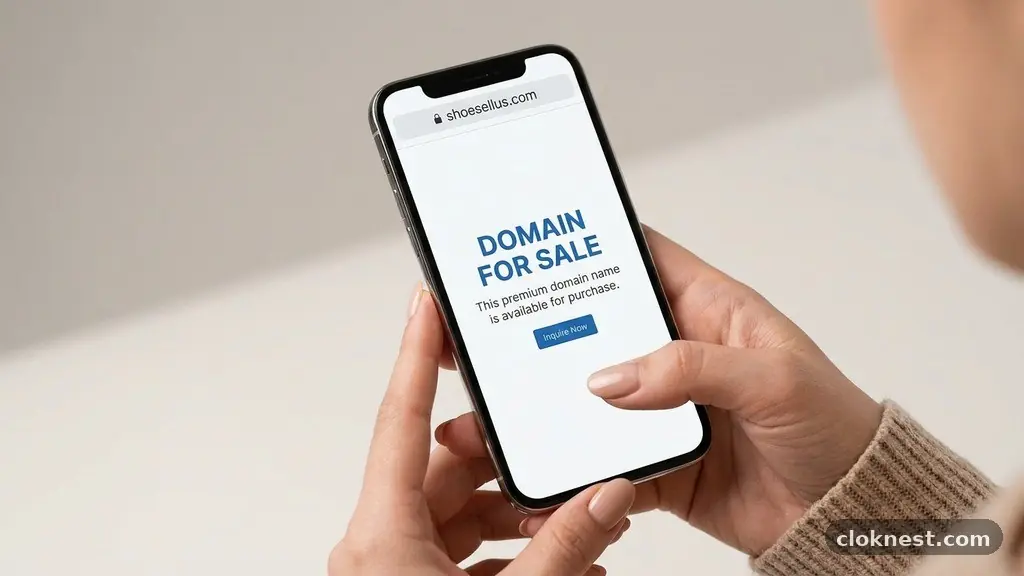
A parked domain has been registered but does not host a developed business. It may display advertising, a “domain for sale” notice, or a plain placeholder. In this state, Shoesellus.com would be an address rather than an active shoe retailer.
Lead-generation page
Some pages collect names, phone numbers, or email addresses and pass those leads to advertisers. The page may mention footwear, discounts, or shopping surveys without selling products directly. Read the privacy policy before submitting any information.
Redirect or affiliate page
A redirect may send visitors to another store, comparison service, advertising network, or unrelated destination. Affiliate marketing itself is not automatically improper, but the page should disclose its relationship and avoid pretending to be the seller.
Short-lived storefront
A temporary store may display products, take orders, and disappear before customers can obtain refunds. Red flags include copied branding, unusually low prices, limited contact details, and pressure to pay quickly. The presence of a checkout page does not establish that inventory exists.
Compromised or abused domain
An otherwise ordinary domain can be hacked and used to host phishing pages or malware. Sudden changes in language, unrelated products, strange URLs, or browser warnings may indicate that the site no longer reflects its previous purpose.
These categories overlap, but they lead to different risks. A parked page may only waste time, while a fake store may expose card details or personal information. The safest response is to identify the behaviour first rather than assigning a label from the domain name alone.
Red flags that should stop a purchase
One warning sign may have an innocent explanation, but several together should end the transaction. The strongest concerns usually involve identity, payment pressure, and inconsistent information rather than imperfect design.
A missing privacy policy is especially concerning if the page requests an email address, phone number, date of birth, or payment data. Visitors should know which entity receives their information and how to request deletion or correction.
Be cautious if the contact information consists only of a form. A real retailer can use a form, but it should normally provide a business name, response expectations, and another practical route such as an email address or telephone number.
Urgency is another common tactic. Countdown timers, “last item” messages that never change, and claims that a discount expires within minutes are designed to shorten the buyer’s checking process. A genuine sale does not require you to ignore basic verification.
Watch for payment instructions that change during checkout. If a site begins with card payment and then asks for a direct transfer, gift card code, or cryptocurrency payment, stop. Those methods can make recovery difficult and may bypass ordinary consumer protections.
- Prices far below the normal market range without a credible explanation.
- Product descriptions containing another retailer’s name or awkward machine translation.
- Returns sent to a different country than the business claims to serve.
- Social-media icons that lead nowhere or to unrelated accounts.
- Customer reviews that are identical, overly generic, or all posted recently.
- Checkout pages that use a different domain without a clear explanation.
- Requests for unnecessary identity documents or full payment-card images.
How to investigate Shoesellus.com safely
Begin with passive checks. Search the exact domain in quotation marks, inspect the registration record, and read the site without logging in or downloading anything. Do not use a search result as proof of endorsement; search engines index pages for many reasons.
Next, record what the page claims. Note the displayed business name, address, email domain, refund terms, shipping promises, and payment options. Compare those details with independent business directories, official company records where available, and established consumer-protection information.
Then inspect the browser address carefully. Look for misspellings, extra subdomains, unusual country-code endings, and redirects through several unrelated addresses. A familiar logo on a page does not make the address official.
If you need to test a link, use a separate browser profile or device with current security updates, and never enter a password used on another service. Avoid clicking suspicious email links directly; type a known address manually or use a bookmark you created earlier.
Keep evidence if something feels wrong. Screenshots of the offer, order confirmation, domain address, payment request, and contact messages can help a card issuer, platform, registrar, or law-enforcement agency assess what happened.
If you already paid
Contact your card issuer or payment provider promptly and ask about a dispute, chargeback, or payment cancellation. Explain that the transaction involved a potentially deceptive merchant and provide the evidence requested by the provider.
Change any reused password, monitor bank and card statements, and consider replacing a compromised card. If you submitted identity documents, seek advice from the relevant official identity-fraud service in your country.
Do not send more money to a person promising to recover the original payment. Recovery scams often target people who have already reported a suspicious transaction.
What Shoesellus.com is not proof of
The domain is not proof that shoes are available, that an order will ship, or that a refund will be honoured. It is also not proof that a company called “Shoesellus” legally exists. Those facts require evidence beyond a memorable web address.
A professional-looking design proves very little because templates, stock images, and copied text can be assembled quickly. Even a functioning shopping cart may be connected to a temporary operation or a page that collects data without maintaining reliable fulfilment.
Likewise, a private WHOIS record does not automatically indicate fraud. Many legitimate businesses use privacy services to protect personal information, especially small operators and individual developers. The important issue is whether the site supplies alternative, verifiable business information.
HTTPS is not proof of legitimacy either. It protects the connection but does not confirm that the merchant is honest, authorised, or capable of delivering the advertised products. Security and trust are related, but they are not the same test.
The sensible conclusion is therefore narrow and evidence-based: Shoesellus.com is not established as a trustworthy shoe store merely by its name or online appearance. Until ownership, purpose, policies, and transaction history can be verified, visitors should regard it as an unfamiliar domain and avoid sharing sensitive information.
How to describe the site accurately
Clear wording matters because exaggerated claims can mislead readers in either direction. Calling Shoesellus.com a confirmed scam without evidence may be unfair, while calling it a safe retailer without verification may expose people to unnecessary risk.
A careful description would say that it is an unfamiliar or unverified domain whose apparent footwear connection does not establish a retail business. If a current inspection shows a redirect, parked page, or data form, describe that specific behaviour and include the date checked.
Website conditions can change quickly. A page that is inactive today may host a new business next month, while a legitimate-looking shop can disappear after taking orders. Any public explanation should distinguish observed facts from reasonable caution.
| Claim | Evidence needed | Safer wording without that evidence |
|---|---|---|
| It is a legitimate retailer | Verifiable operator, policies, fulfilment history, and independent reputation | It presents itself as a shop, but legitimacy is unconfirmed |
| It is a scam | Documented deception, non-delivery, fraud reports, or malicious behaviour | It shows warning signs that justify avoiding payment |
| It sells shoes | Consistent inventory, checkout, delivery records, and customer support | Its name suggests footwear, but sales activity is unverified |
| It is owned by a named company | Matching registration, contact details, and official business evidence | No operator has been independently confirmed |
This approach is more useful than a dramatic label. It gives readers a practical decision: verify the site through several independent signals, or walk away without submitting data or payment.
Frequently asked questions
Is Shoesellus.com a real shoe store?
Its domain name does not prove that it is a real shoe store. Unless the site provides a verifiable operator, consistent policies, credible contact information, and evidence of reliable fulfilment, it should be treated as an unverified website rather than an established retailer.
Does an SSL certificate make Shoesellus.com safe?
No. An SSL certificate helps encrypt the connection between your browser and the domain, but it does not verify the owner or guarantee honest products, secure refunds, or legitimate payment processing. HTTPS is useful, but it is only one security signal.
What should I check in a WHOIS lookup?
Look at the domain’s creation date, registrar, update history, name servers, and any public organisation information. Privacy protection is common and not automatically suspicious, so compare the record with the website’s claimed business identity rather than treating one field as decisive.
Can a parked domain be dangerous?
A parked page may be harmless, but advertisements and redirects can lead to risky destinations. Do not assume that a blank or generic page is an active shop, and avoid entering personal details if the page unexpectedly sends you elsewhere.
What should I do if I entered card details?
Contact your card issuer promptly, explain the concern, and ask whether the transaction can be stopped or disputed. Monitor statements, change reused passwords, and keep screenshots, receipts, emails, and the exact domain address as evidence.
Conclusion
Shoesellus.com Explained comes down to a practical distinction: a footwear-sounding domain is not the same thing as a verified shoe retailer. The address should be treated as an unconfirmed online platform until its owner, purpose, contact information, policies, and transaction behaviour line up.
Before clicking through, run a domain check, inspect for redirects and malware warnings, read the privacy and refund terms, and avoid pressured payment methods. If the evidence stays thin, the safest next step is simple: leave the page and buy from a retailer with a traceable identity and established customer history.





One Comment